ISO 19650 Intake Assistant

Streamline Your BIM Document Workflow

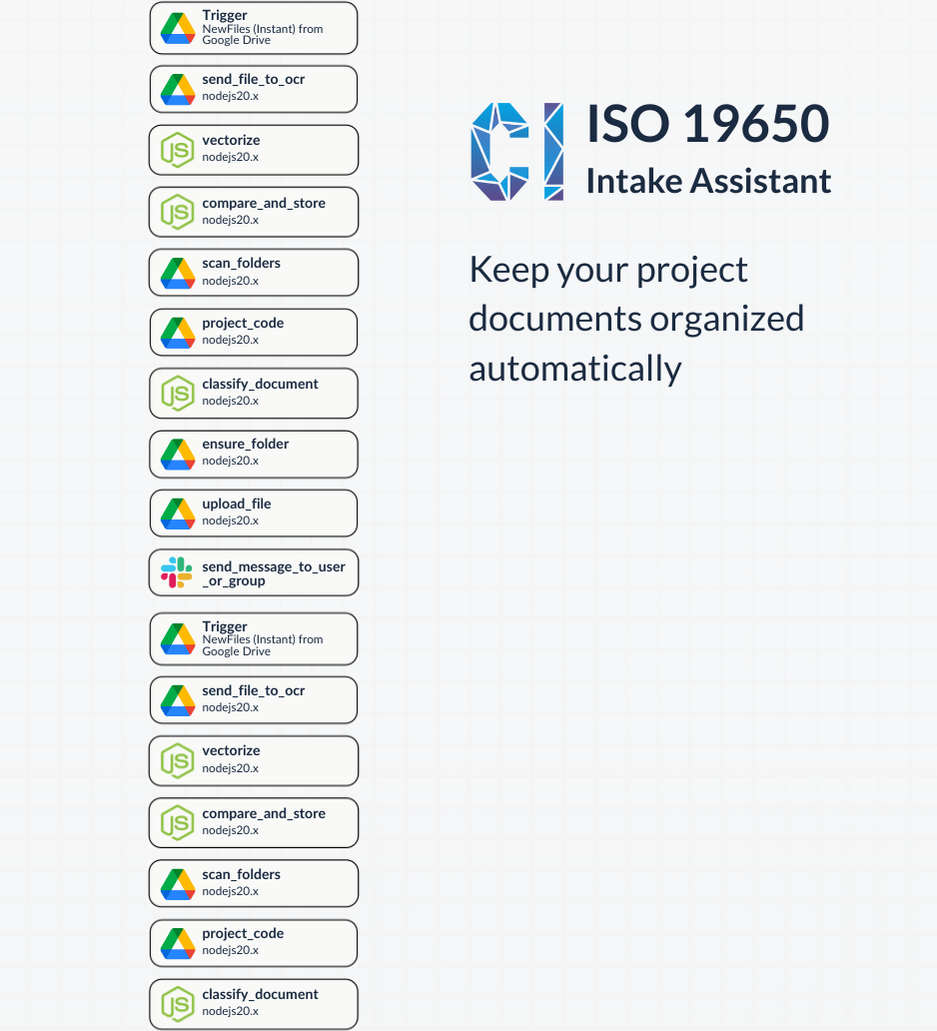
Manually classifying and filing documents to is time-consuming and error-prone. Our Intake Assistant automates the process, from reading the document through OCR and using a method called vectorization to flag duplicates, to AI Agent classification and storage, so your team can focus on what matters most:

✅ Saving time with AI-powered document processing

✅ Reducing errors with automated ISO 19650 compliance

✅ Improving collaboration with seamless folder organization and notifications

Get this free workflow after a 15 minute call

Automate Document Classification & Compliance with AI

About Crystallized Intelligence

We specialize in . This template is provided for informational purposes only. Let us help you tailor it to your needs.

How It Works

1. Trigger

New files uploaded to your designated Google Drive folder kick off the workflow. This workflow can be modified to use other cloud-based file storage systems, local storage, and more.

2. OCR & Vectorization

Files are parsed using , then vectorized to check for duplicates and prepare for classification. Sub in another OCR by modifying the code.

3. Classification & Storage

Documents are automatically classified according to ISO 19650 standards and your own project list, assigned to the correct folder, and described for easy reference.

4. Notification

Relevant teams are notified via Slack (or your preferred platform) with a summary and next steps.

What you'll get after a 15-minute conversation (with no commitments):

All the code and instructions to run this workflow on your own, following these steps:

1 | Copy the Workflow: Use your own Pipedream account
2 | Connect Your APIs: Link Google Drive, Mistral OCR, and your data stores.
3 | Test & Deploy: Modify the steps and AI Agent prompts to match your needs, test on real documents, then deploy with confidence.

proof of concept icon

Proof of Concept Ready:

Test and refine the workflow with your own files before full deployment.

Customizable icon

Customizable:

Adapt the template to fit your project codes, folder structures, and communication channels.

scalable icon

Scalable:

Designed for BIM managers, project teams, and operations leads looking to standardize document intake.
Other free workflows

Looking for other ways to improve your work through AI? Look no further than our other premade workflows.